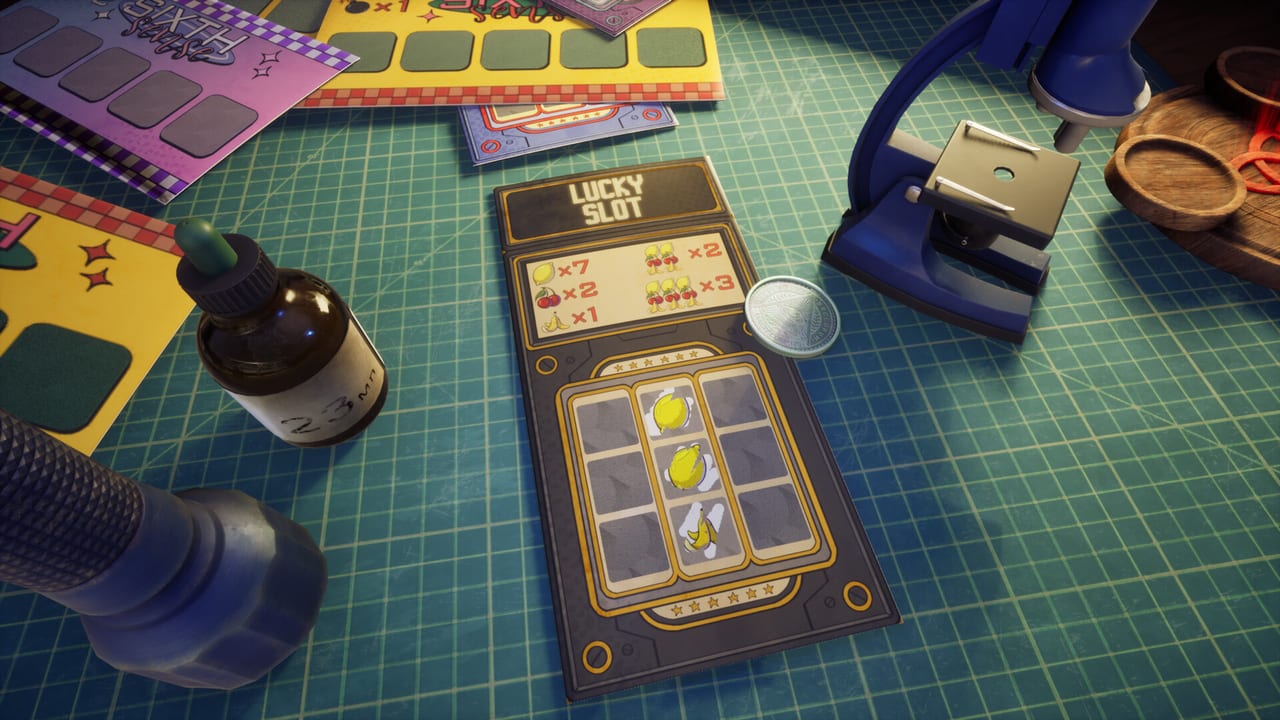
Scratch the Ticket Wiki
Cash-out strategy, gadgets, and launch notes for Scratch the Ticket.
Unofficial Scratch the Ticket wiki covering cash-out strategy, gadgets, idle upgrades, and Steam launch notes.
- Aug 13
- Released on Steam 2026
- $6.99
- Intro sale through Aug 27
- Mixed
- Launch-week Steam reviews
- 98
- Steam achievements
Hubs organised around what players search after the August 13, 2026 Steam launch.
Guides Hub
Scratch the Ticket guides hub covering how to play, cash-out strategy, review notes, controls, and apartment goals.
Read guide StrategyStrategy Hub
Scratch the Ticket strategy hub for ticket types, Minesweeper cards, gadget timing, idle upgrades, and printers.
Read guide GadgetsGadgets Hub
Scratch the Ticket gadgets hub covering Spy, UV, LED Panel, Drop, microscope zoom, and printers.
Read guide ToolsTools Hub Guide
Scratch the Ticket tools hub: cash-out helper, Windows saves, PC specs, and the 98-achievement tracker.
Read guide UpdatesUpdates Hub
Scratch the Ticket updates hub for the August 13 launch, day-one LED Panel hotfix, and demo history.
Read guide LinksOfficial Links Hub
Official Scratch the Ticket links for Steam store, demo, itch page, Discord, current PC specs, and trailer context.
Read guideStart here if you just bought the full game or want cleaner cash-outs.
Guides Hub
Scratch the Ticket guides hub covering how to play, cash-out strategy, review notes, controls, and apartment goals.
Read guide GuidesGetting Started
Scratch the Ticket beginner guide: buy or demo, first tickets, cash-out habits, and early gadgets after the Steam launch.
Read guide GadgetsGadgets Hub
Scratch the Ticket gadgets hub covering Spy, UV, LED Panel, Drop, microscope zoom, and printers.
Read guide StrategyStrategy Hub
Scratch the Ticket strategy hub for ticket types, Minesweeper cards, gadget timing, idle upgrades, and printers.
Read guide ToolsCash-Out Helper
Scratch the Ticket cash-out helper checklist for mid-ticket decisions: bankroll pain, gadget info, and stop triggers.
Read guide GuidesHow to Play
How to play Scratch the Ticket: print tickets, scratch cells, cash out before the bomb, and use gadgets without wasting runs.
Read guide UpdatesLaunch Day
Scratch the Ticket launch day notes: August 13 Steam unlock, $6.99 intro sale, first-session plan, and hotfix.
Read guide UpdatesRelease Hotfix
Scratch the Ticket release hotfix: LED Panel purchase fix, monitor shader, and the post-launch thank-you roadmap.
Read guide GuidesCash-Out Strategy
Scratch the Ticket cash-out strategy: when to stop scratching, how greed fails, and how gadgets change stop rules.
Read guide GadgetsLED Panel
Scratch the Ticket LED Panel guide: how the soft X-ray silhouette gadget lowers misclick risk between Spy marks and full Drop reveals.
Read guide GuidesVs Scritchy Scratchy
Scratch the Ticket vs Scritchy Scratchy: tell the Steam first-person sim from the idle card game before you buy the wrong one.
Read guide GuidesReview Roundup
Scratch the Ticket review roundup: Mixed Steam scores, $6.99 sale, physics gripes, and who should buy after launch.
Read guideFour steps from the Steam store to a smarter first ticket run.
- 1
Buy or keep the demo warm
Scratch the Ticket is out on Steam as App 4626940. The introductory sale lasts through August 27, 2026. Official store, Discord, and demo links live on our Links Hub.
- 2
Learn when to cash out
Every ticket is still a nerve test. Study cash-out strategy before you chase multipliers into a bomb reset.
- 3
Spend gadgets on high stakes
Spy, UV Flashlight, LED Panel, Drop, and the microscope only pay when the ticket is worth protecting. Start with the Gadgets Hub and gadget timing.
- 4
Plan printers, idle buildings, and apartments
Upgrade printers, fund bakeries and other idle counters, and keep downtown apartments as the long target. Use the upgrade path, idle upgrades, and apartment goal.
Wiki FAQ
Quick answers to the most common questions.
When did Scratch the Ticket release?
The full Steam version unlocked August 13, 2026. A free demo remains available. See launch-day notes and the release hotfix.
Is this the same game as Scritchy Scratchy?
No. Scratch the Ticket is a first-person incremental sim by Shilenok / Spaghetti Cat. Scritchy Scratchy is a separate idle scratch-card game. Full checklist: Vs Scritchy Scratchy.
Which languages does this wiki support?
This Scratch the Ticket wiki is available in: English, Français, Deutsch, Español. Game interface languages on Steam may differ.
Where should brand-new players start?
Read Getting Started, then How to Play. Jump to Controls if first-person scratching feels awkward, or Review Roundup if you are still deciding to buy.
Do you list cheat scripts or promo codes?
No. This is a single-player Steam title. We cover cash-outs, gadgets, idle upgrades, and achievements. Use the Tools Hub for helpers instead.