Scratch the Ticket Controls
Make the first-person desk feel precise instead of frantic.
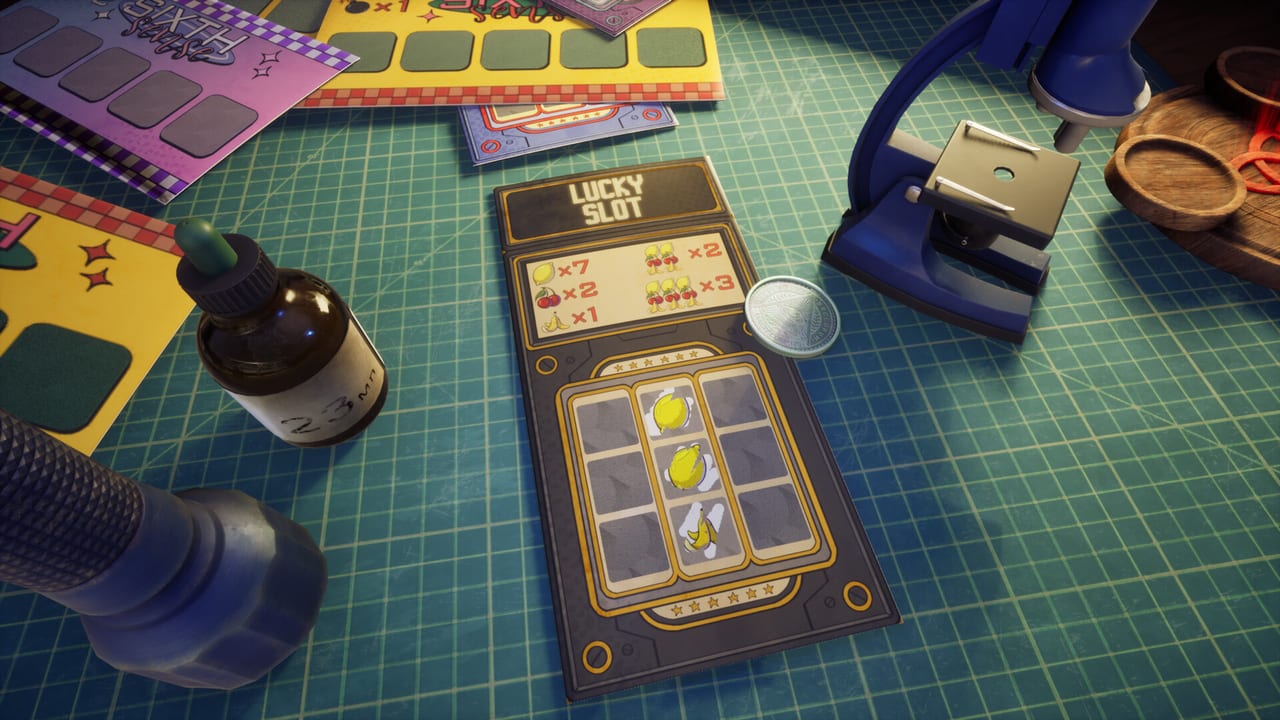
Scratch the Ticket is played in first person at a physical desk fantasy. Controls are not a footnote. Bad camera habits create accidental scratches, wasted gadgets, and emotional cash-out mistakes. This Controls guide helps you settle into the room before strategy pages take over.
First-person scratching mindset
You are not clicking abstract UI icons alone. You are aiming at foil on a ticket in space. Slow down. Line up the cell. Scratch with intent. If you mash inputs after a big multiplier, you are one slip from a bomb story. Pair calm controls with Cash-Out Strategy.
Camera and comfort
Lower sensitivity if tiny cell edges feel twitchy. Sit so your mouse hand can make short precise moves. Disable aggressive overlays that steal focus. If motion discomfort appears, take breaks between tickets and use the demo as a comfort lab via Demo Guide.
Desk object handling
Gadgets like flashlights are physical props in some builds. Players reported tools disappearing after being thrown off-screen in earlier versions. Place tools deliberately. Do not fling the UV light into the void for jokes mid-run. Details for tool use live on Spy and UV Flashlight.
Rotation and inspection tips
Community comments mention scroll wheel rotation for inspecting items. When a ticket or tool feels stuck at a bad angle, rotate before you scratch. Clear visibility reduces panic reveals. If something still looks wrong, pause and re-read How to Play.
Performance linked to control quality
Stutter creates mis-clicks. Check that your machine is near Steam guidance on the Links Hub. Close heavy browsers during tense tickets. Frame hitches are not skill issues, but they become strategy issues when they force panic inputs.
Accessibility habits
Increase UI scale if available in your build. Boost brightness carefully so foil contrast is readable without eye strain. Use larger mouse steps for Drop confirms so you do not waste the gadget. Confirm Drop usage rules on Drop X-ray.
Practice routine
Spend ten minutes only on cheap tickets focusing on clean scratches and early cash-outs. Ignore upgrades for that drill. Then introduce one gadget. Then introduce one printer decision from Printers. Controls first, greed second.
When controls feel broken
Verify you are on the latest demo build. Check Demo Notes. If a soft lock happens, use Save Files. Report reproducible input bugs through official Steam channels.
After controls feel natural
Return to Getting Started if you skipped onboarding, then push into Ticket Types and Gadget Timing. Precise hands make strategy pages usable.
Good controls will not remove the bomb. They remove the excuse that the bomb was an accident.
Final reminder for desk control
Slow scratches beat dramatic scratches. Precision is part of the meta in Scratch the Ticket.
Launch-week control notes
Steam reviews after August 13, 2026 repeat the same handling story: objects feel too light, a microscope can clip into a wall, and a reset button snaps the desk back together. Use that reset before you wrestle geometry during a live Minesweeper grid. The store lists a 75 FPS cap as an optimization choice. Windowed mode complaints exist; stay fullscreen until a patch names a fix. Steam Deck owners still need mouse precision on bomb borders. Pair Camera Comfort with this page. If physics ruins a run, Save Files and Steam Cloud beat revenge scratching.
Frequently Asked Questions
Quick answers to the most common questions.
Are exact keybinds listed here?
Builds can change prompts. Use in-game hints first, then this page for habits.
Why does my flashlight vanish?
Older builds could lose tools thrown off-screen. Place gadgets carefully and see Spy and UV Flashlight.
Should I play with a controller?
Mouse precision is usually better for cell edges. Use whatever keeps scratches intentional.
What if input lag ruins cash-outs?
Improve performance first, then follow Cash-Out Strategy.